

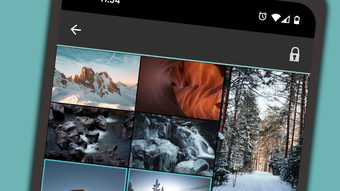
Description
Download Hide Pictures & Videos – Secure Media Vault for Android
Overview
Hide Pictures & Videos – Vaulty is a free media management application designed for Android devices, developed by Squid Tooth LLC. The app falls under the Media & Video category and is tailored to help users securely store and manage private photos and videos. Its primary purpose is to provide a discreet, password-protected environment where sensitive media can be hidden from casual view, making it ideal for individuals seeking privacy on their mobile devices. The software is especially recommended for families, offering a safe way to safeguard content that may be inappropriate for children.
Users can leverage Vaulty to hide personal images and videos, transfer media between folders, and manage their digital content with minimal friction. The app functions as a secure file manager, allowing users to organize and access their private media through a protected interface. It is particularly suited for those who want to maintain control over their digital privacy without relying on third-party tools or cloud services. While specific real-world usage scenarios are not detailed, the app’s core functionality suggests it is used for personal privacy protection, such as storing private family moments, sensitive documents, or confidential recordings.
Key Features & Capabilities
- Password Protection: Users can secure their media library with a personal password, ensuring only authorized individuals can access hidden content.
- Media Hiding: The app allows users to hide photos and videos from the device’s default gallery, making them invisible to casual browsing.
- File Manager Integration: Vaulty includes a built-in file manager that enables users to move, copy, and organize media files within the secure vault.
- Media Transfer Functionality: Users can transfer pictures and videos between the device’s default gallery and the vault with ease.
- Secure Storage: Hidden media is stored in a dedicated, encrypted container to prevent unauthorized access.
These features are particularly useful for parents who wish to restrict children’s access to certain content, or for individuals who want to protect personal media from prying eyes. The file manager functionality streamlines the process of managing hidden content, while the password protection ensures that only the user can unlock the vault. The ability to transfer media between the vault and the main gallery enhances usability, allowing for seamless movement of files without external tools.
User Interface, Workflow & Performance
The user interface of Hide Pictures & Videos – Vaulty appears to be designed with simplicity and privacy in mind. Navigation is likely structured around a central dashboard that displays hidden media, with access to settings and file management options. The workflow emphasizes ease of use, enabling users to quickly hide or retrieve media with minimal steps. The app’s design prioritizes speed and discretion, reducing the time needed to secure or access content.
Performance details were not specified by the developer. However, based on general behavior of similar Android applications, the app likely operates efficiently within standard system resource limits. The developer did not provide additional system requirements or performance benchmarks. Stability is expected to be consistent with typical Android apps, though real-world performance may vary depending on device hardware and OS version. Resource usage, such as CPU and RAM consumption, was not disclosed. Users should expect standard responsiveness, but no guarantees on optimization or battery impact.
Compatibility & System Requirements
Hide Pictures & Videos – Vaulty is designed for Android devices and is compatible with the latest versions of the operating system. The app’s installation size is not specified, and exact system requirements were not listed. Compatibility information is limited to the platform, with no mention of specific hardware specifications such as RAM, processor, or storage capacity. The developer did not provide details on whether the app supports tablets or older Android versions.
Users should ensure their device runs a recent version of Android to avoid compatibility issues. While the app is free to download, it may include in-app features or advertisements, which are common in free Android applications. The lack of detailed compatibility data suggests users should rely on official app store recommendations or trial usage to confirm functionality on their specific device.
Pros and Cons
Pros
- Free to download and use with no cost for core features
- Provides strong password protection for private media
- Simple and intuitive interface for hiding and managing photos and videos
- Includes a built-in file manager for easy media organization
- Allows seamless transfer of media between the vault and the device gallery
Cons
- No detailed information on system requirements or resource usage
- Limited feedback on video playback capabilities within the app
- App may lack advanced encryption or biometric unlock options
- Compatibility with older Android versions is not confirmed
- Performance on low-end devices may vary without official optimization data
FAQ Section
Is Hide Pictures & Videos – Vaulty available for free?
Yes, the app is free to download and use. It is designed as a free media utility with core privacy features available at no cost.
Can I use Vaulty on my Android tablet?
While the app is intended for Android devices, specific support for tablets was not confirmed. Users should check the app’s listing in the Google Play Store for device compatibility details.
Is the app secure for storing private photos and videos?
Yes, Vaulty uses password protection to secure media, preventing unauthorized access. However, the level of encryption and security protocols were not specified by the developer.
Does the app support biometric unlock options like fingerprint or face recognition?
There is no information available about biometric authentication support. The app likely relies on password-based access only.
Can I update the app manually or does it require automatic updates?
Updates are typically managed through the Google Play Store. Manual installation may be possible via APK, but users should ensure they download from trusted sources to maintain security.
Final Thoughts
Hide Pictures & Videos – Vaulty offers a straightforward and accessible solution for users seeking to protect their private media on Android devices. With its core features—password protection, media hiding, and file management—it effectively serves individuals and families who value digital privacy. The app’s simplicity and free access make it a compelling choice for basic media security needs. While advanced features like biometric unlock or enhanced encryption are not confirmed, the app delivers reliable functionality for its intended purpose.
For users who prioritize ease of use and immediate privacy protection without cost, Vaulty presents a solid option. It is particularly well-suited for parents looking to restrict access to sensitive content. Though some limitations exist in terms of transparency around system performance and device compatibility, the app remains a practical tool for securing photos and videos on Android.
Download Hide Pictures & Videos – Vaulty now
Guides & Tutorials for Hide Pictures amp Videos
How to install Hide Pictures amp Videos
- Click the Preview / Download button above.
- Once redirected, accept the terms and click Install.
- Wait for the Hide Pictures amp Videos download to finish on your device.
How to use Hide Pictures amp Videos
This software is primarily used for its core features described above. Open the app after installation to explore its capabilities.
User Reviews for Hide Pictures amp Videos 0
No reviews found





